A room for every conversation.
Keep the plans, projects, and late-night tangents in their own spaces. Unread counts and typing indicators make it easy to pick up where you left off.
ROOMS · TYPING · UNREAD COUNTSFrom the group chat to the late-night call. A focused home for friends—with private messages, voice, and one-to-one screen sharing. Right in your browser.
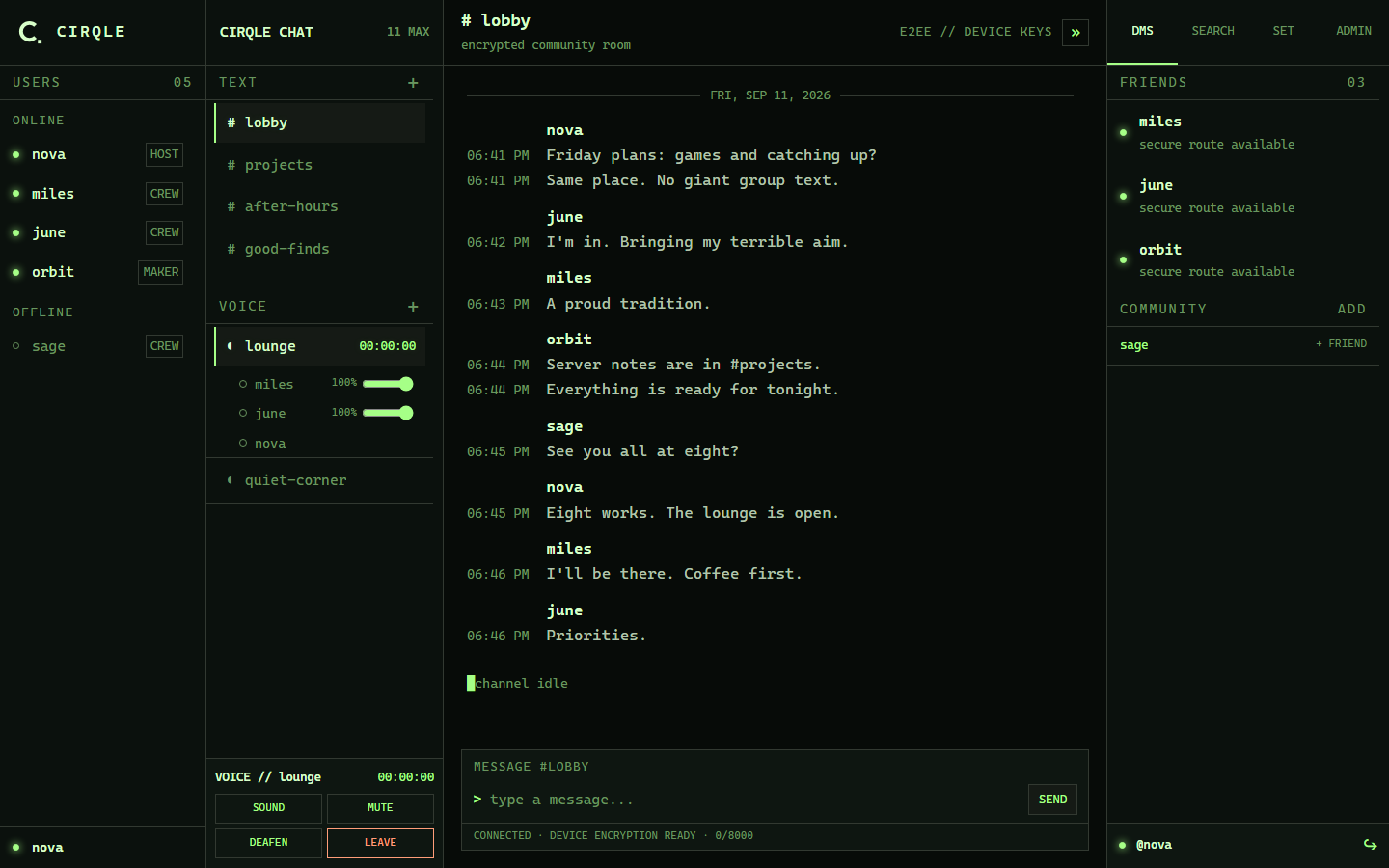
The familiar rhythm of IRC. The convenience of modern chat. A place that feels like hanging out, not keeping up.
Keep the plans, projects, and late-night tangents in their own spaces. Unread counts and typing indicators make it easy to pick up where you left off.
ROOMS · TYPING · UNREAD COUNTSAdd a friend and take it to DMs. Choose your username, write a short bio, and open a profile right from a message. No avatars required.
FRIENDS · DMs · PROFILESDrop into a voice room or call a friend directly. Adjust each person’s volume, choose your mic and output where supported, and mute or deafen when you need a moment.
VOICE ROOMS · PRIVATE CALLS · VOLUMEDark or light. Subtle or phosphor-bright. Pick your colors, adjust the font size, and keep the scanlines—or switch them off.
YOUR COLORS. YOUR COMFORT. Adjustable text · Optional scanlines · No image backgrounds
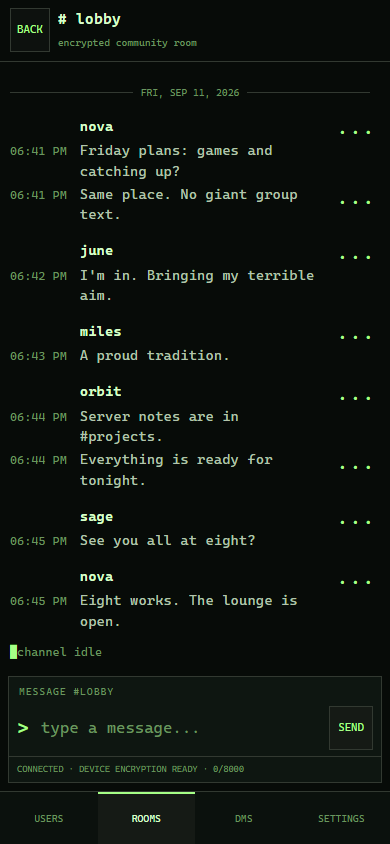
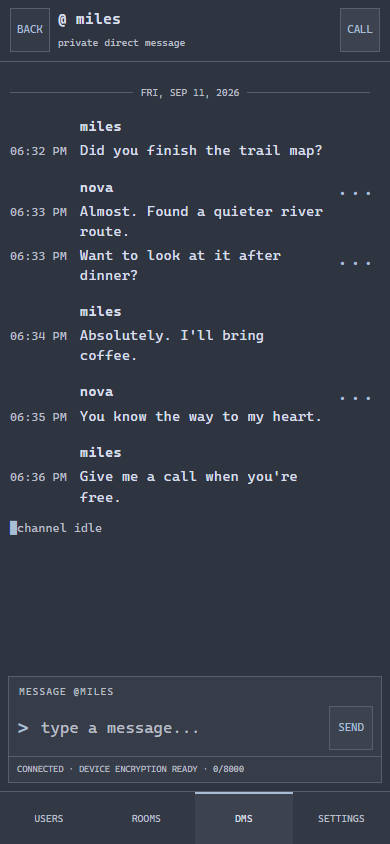
Open Cirqle in your phone’s browser. Move between people, rooms, DMs, and settings with a thumb-friendly bottom bar. No app-store download.
A quick walkthrough. A second pair of eyes. A little help with something that’s easier to show than explain.
Start a private DM call, then share the screen or window you choose. One-to-one only, up to 1440p at 30 frames per second on supported desktop browsers.
The community owner can create a time-limited help session. A guest opens the link, enters a name, and waits to be admitted—without joining the community or downloading anything.
Fix a message without losing the original. The clickable edit tag keeps it clear what changed.
Search decrypted messages locally on your device. Your search terms stay with you.
Compact message groups, local 12-hour timestamps, date breaks, and unread badges keep chats readable.
Admins can create, rename, reorder, and manage rooms, with access by role, individual, or both.
Incoming private calls ring for 20 seconds with accept and decline controls. Missed-call notices stick around.
Custom role labels, a short profile, and a small soundboard for shared voice rooms. Private calls stay soundboard-free.
Messages are encrypted in your browser before storage. Audio and screen sharing use encrypted peer connections. Room administration doesn’t give an Admin access to friend-only DMs.
No ad business.No advertising profiles, analytics, or recorded calls.
Your keys matter.Restore backed-up history with your recovery phrase. Keep it somewhere safe.
Still a private beta.Independent security review is pending. The service handles connection metadata; independent identity verification and stronger forward-secrecy protections remain unfinished.
Cirqle is invite-only. An Admin approves your email, you request a one-time sign-in code, and then you choose your username. Stay signed in for up to 30 days.
Desktop & mobile web
Messages, DMs, and voice.A dedicated desktop home
Windows x64 installer.Your desktop, your way
AppImage & Debian packages.Ask your community Admin to approve your email and send you the app link. Open Cirqle and request a one-time code through Cloudflare. Set your username and keep your recovery phrase safe. Approving an email does not automatically send an invitation email.
No. Use a current desktop or mobile browser. Windows and Linux desktop packages are coming soon. Screen sharing requires a supported desktop browser and permission to capture the selected screen or window; it is not offered on mobile.
Not currently. Optional desktop alerts and in-app notices work while Cirqle is open, where supported and with your permission. Mobile browsers may suspend a background page or call. Always-on push notifications are not part of this release.
You can start fresh with new keys instead of being locked out. That does not unlock older encrypted messages. Earlier backups remain available if you later recover their phrase; only history saved in a backup can be restored from it.
Stored message content is encrypted, and private calls use encrypted peer media. The service still sees operational metadata such as account details, routing, timing, and presence. Independent identity verification, forward secrecy, and an external security review are not complete. This beta is not a security certification or a guarantee against a compromised device or malicious server. Deleting a message also cannot erase copies someone has already kept.
Private beta · Approved email required